Table of Contents
cURL is a Swiss-army knife for network engineers, QA teams, SREs, data folks, and developers. It can fetch webpages, post JSON, upload files, stream APIs, and debug gnarly TLS problems - all from a terminal.
Add a proxy to the mix and you unlock a whole new toolbox: anonymity for testing, traffic rerouting for geo-checks, reproducible scraping pipelines, and enterprise-grade egress control.
This guide shows you exactly how to use cURL with HTTP, HTTPS, and SOCKS5 proxies - plus environment variables, authentication, common pitfalls, and a quick look at why Floxy is a great fit when you want cURL-friendly proxies at scale.
Why Use cURL With a Proxy?
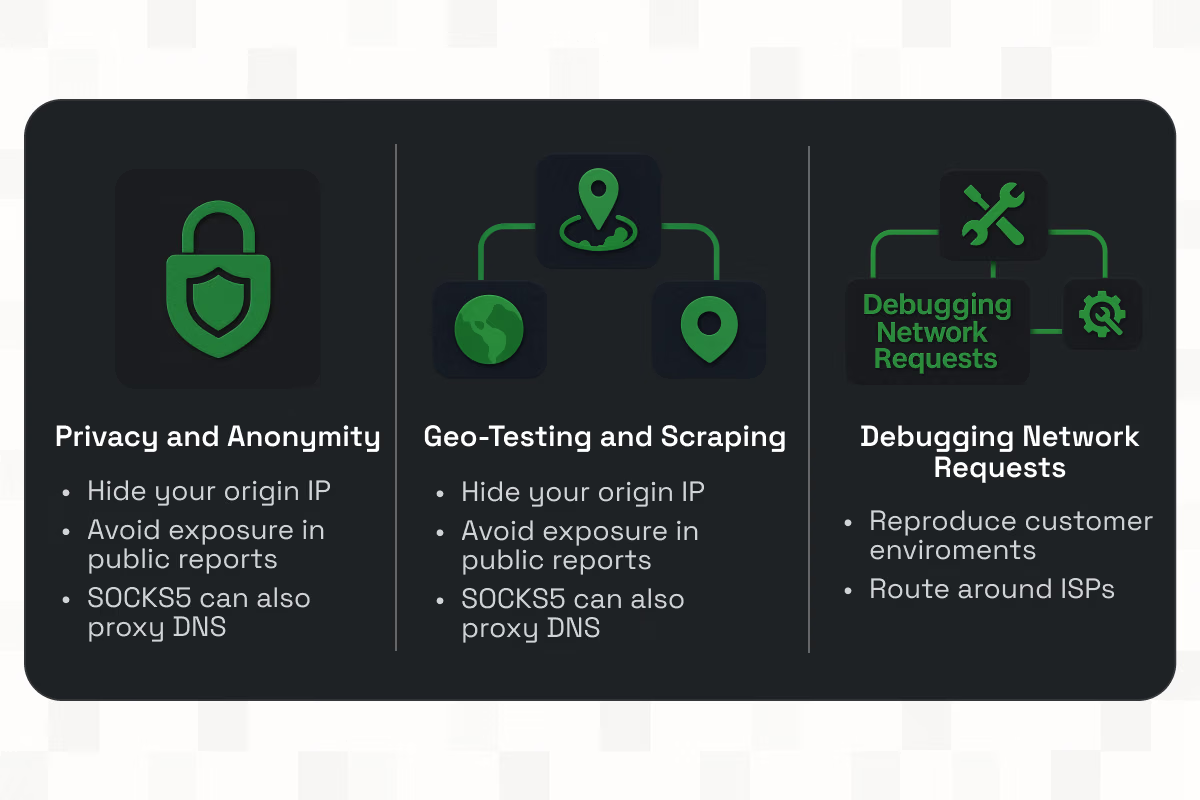
Privacy and Anonymity
Every request reveals an IP, and IPs leak origin. A proxy sits between you and the destination so the remote service sees the proxy’s IP, not yours.
With cURL, a single flag can send traffic through a proxy - handy for demos, sensitive tests, or avoiding IP-based doxxing in public bug reports.
For stricter use cases (e.g., Tor or internal SOCKS gateways), SOCKS5 proxies tunnel TCP and can even proxy DNS resolution (see socks5h later), minimizing local leaks.
Geo-Testing and Scraping
Product teams need to see what users in Frankfurt vs. Chicago actually see; compliance teams need localized behavior; scrapers need rotating pools to avoid noisy IP reputation.
cURL through a regional proxy lets you snapshot responses “as seen from” that country, verify content gating, or pull localized assets without spinning up full browsers.
Debugging Network Requests
Proxies help reproduce customer networks, route around flaky ISPs, funnel traffic through security appliances, or capture traffic centrally.
Since cURL is scriptable, you can codify these checks in CI and point them at different proxy egress points for regression testing.
Basic cURL Proxy Syntax and Port Usage
At its simplest, you tell cURL what proxy to use with -x or --proxy:
curl -x http://PROXY_HOST:PORT https://example.com
If you omit a scheme in the proxy URL (e.g., just -x 192.0.2.10:8080), cURL assumes an HTTP proxy by default. To choose a different kind (HTTPS proxy or SOCKS), add the scheme (e.g., https://, socks5://, socks5h://). cURL supports HTTP, HTTPS (TLS to the proxy itself), and SOCKS4/4a/5, including remote-DNS variants (socks4a, socks5h).
Default ports on the target URL
When you request http://… without an explicit port, servers default to 80; https://… defaults to 443. You can still point your proxy to any port it listens on - common ones are 8080, 3128, or 443 for HTTPS-proxies. (We’ll show exact syntax shortly.)
Note: HTTPS proxy support was added in cURL 7.52.0 (Dec 21, 2016). Modern builds can handle https://proxy:443 and even negotiate HTTP/2 to the proxy when configured in libcurl.
cURL Command With Proxy Examples
Below are drop-in examples you can paste into a shell. Replace placeholder hosts, ports, usernames, and targets with your values.
HTTP Proxy Example
# Simple HTTP proxy, no auth
curl -x http://proxy.example:3128 -I http://example.com
# Same idea with HTTPS target - proxy remains HTTP
curl -x http://proxy.example:3128 -I https://example.com
# With basic auth embedded in the proxy URL
curl -x http://user:pass@proxy.example:3128 -I https://example.com
# Or pass credentials separately (clearer in scripts)
curl -x http://proxy.example:3128 -U 'user:pass' -I https://example.com
cURL “speaks HTTP” to the proxy and uses CONNECT when the target is HTTPS. Use -v or --trace-time --trace-ascii - to watch the handshake.
HTTPS Proxy Example
An HTTPS proxy means your client establishes TLS to the proxy itself, protecting credentials and headers en route to the proxy.
# TLS to the proxy, then normal HTTP/HTTPS to the destination via the proxy
curl -x https://proxy.example.com:443 -U 'user:pass' -I https://example.com
# If your proxy uses a private CA, trust its cert
curl -x https://proxy.example.com:443 --proxy-cacert /path/corporate-ca.pem -I https://example.com
# For quick tests only (skip proxy cert verification - NOT for production)
curl -x https://proxy.example.com:443 --proxy-insecure -I https://example.com
This capability requires a cURL build new enough to support HTTPS proxies (7.52.0+). Many distros and toolchains ship that or newer today.
SOCKS5 Proxy Example
SOCKS proxies are protocol-agnostic tunnels that forward TCP (and optionally resolve DNS on the proxy side). With cURL you can choose:
- socks5:// — local DNS resolution (your machine resolves the hostname)
- socks5h:// — remote DNS resolution via the proxy (safer for privacy and geo-testing)
# SOCKS5 with local DNS resolution
curl -x socks5://127.0.0.1:1080 -I https://example.com
# SOCKS5 with remote DNS resolution (recommended for anonymity/geo fidelity)
curl -x socks5h://127.0.0.1:1080 -I https://example.com
# You can also use the long option:
curl --socks5-hostname 127.0.0.1:1080 -I https://example.com
Using --socks5-hostname (or socks5h://) ensures the proxy does the DNS lookup – important when your local DNS would otherwise leak your location or resolve differently from the proxy’s region.
Customizing cURL Proxy Settings
Here's how you should customize cURL proxy settings:
Setting Environment Variables
When you set proxy environment variables, cURL (and many other tools) will honor them automatically – no need to pass -x on every command.
# Per-protocol variables (lowercase is widely recognized)
export http_proxy="http://proxy.example:3128"
export https_proxy="https://proxy.example:443"
export ftp_proxy="http://proxy.example:3128"
# All protocols fallback
export ALL_PROXY="socks5h://127.0.0.1:1080"
# Bypass proxy for internal hosts or CIDRs
export no_proxy="localhost,127.0.0.1,.corp.example.com,10.0.0.0/8"
Most tools, including cURL, recognize lowercase *_proxy variables; uppercase variants are also accepted, but with subtle precedence rules (lowercase often wins; http_proxy is historically lower-case only). When in doubt, set lowercase.
To override a pre-set proxy just for one call, pass --proxy "" (empty string) to disable it for that invocation:
# Ignore any env proxy for this one request
curl --proxy "" https://example.com
(That behavior is specified in libcurl and used by tools that expose it.)
Authenticated Proxy Usage
There are three clean ways to do authenticated proxies:
- Embed in the proxy URL (fast, but may leak in process lists):
curl -x http://user:pass@proxy.example:3128 https://example.com
- Use -U/--proxy-user (clearer; easier to change programmatically):
curl -x http://proxy.example:3128 -U 'user:pass' https://example.com
- Use .netrc (avoid credentials in shell history):
machine proxy.example login user password pass
curl -x http://proxy.example:3128 --netrc-file ~/.netrc https://example.com
For proxies that support multiple auth methods, --proxy-anyauth lets cURL probe and pick the best supported mechanism. Combine with -v during setup to verify the chosen scheme.
Extra TLS tips for HTTPS proxies
- --proxy-cacert trusts a specific CA for the proxy only.
- --proxy-cert/--proxy-key let you do client-certificate auth to the proxy if your enterprise requires mTLS.
- --proxy-insecure turns off verification of the proxy’s certificate (use only for quick, non-prod tests).
(These are standard cURL features documented across the man pages and libcurl options.)
Best Proxy Service for cURL Requests: Why Choose Floxy
If you’re building cURL-based test harnesses, scrapers, data gating checks, or CI network probes, your proxy provider makes or breaks the workflow. Floxy focuses on developer-friendly, cURL-compatible proxies with a modern dashboard and sensible pricing.
Floxy’s Compatibility With cURL
Floxy offers HTTP, HTTPS, and SOCKS5 endpoints that work with the exact -x/--proxy syntax you’ve seen above. Whether you prefer rotating residential IPs or stable ISP IPs, you can generate region-specific endpoints and paste them straight into your shell or scripts.
Key Benefits of Floxy
- Large rotating residential & ISP pool for fewer blocks and more natural traffic patterns.
- Fast, reliable egress with excellent uptime suited for automation and CI use.
- Dashboard that outputs cURL-ready strings so your team copies once and ships.
- Straightforward pricing and responsive support when you need help at odd hours.
- User-friendly documentation to help you get started.
Use-Case Fit
- Developers & QA: regional feature flags, HTTP regression snapshots, and TLS debugging through controlled egress.
- Data teams / scrapers: ethically collect public data at scale while rotating IPs and regions.
- Ops / SRE: route health checks through diverse networks to spot ISP-specific issues early.
Common cURL Proxy Errors and Fixes
Even seasoned engineers bump into “works on my laptop” proxy gremlins. Here are the usual suspects and how to squash them.
“Connection refused” or “Operation timed out”
curl: (7) Failed to connect… or long hangs before failure.
Fixes:
- Verify host/port and protocol match the proxy’s reality. For example, if the proxy expects HTTPS on 443, use https://proxy:443, not http://…. Modern cURL supports HTTPS proxies; older ones did not. Confirm curl --version ≥ 7.52.0 for HTTPS proxy support.
Test with a HEAD request to a known site to validate the pipeline:
curl -v --proxy http://proxy.example:3128 -I https://www.google.com
- You should see HTTP/1.1 200 OK if the proxy path is good.
- Firewalls often block outbound 1080/8080; try corporate-approved ports (443/3128) as provided by your network team.
407 Proxy Authentication Required
< HTTP/1.1 407 Proxy Authentication Required
Fixes:
- Provide credentials with -U 'user:pass' or embed them in the proxy URL.
- If you’re unsure of the auth scheme, --proxy-anyauth -v helps cURL negotiate.
- Check that your password doesn’t contain characters that the shell interprets (quote it!).
- For environment-driven runs, confirm your CI’s *_proxy variables do not include stale credentials.
(407 is the proxy’s way of saying “I see you, but who are you?” – the fix is almost always credentials + quoting.)
Unsupported proxy scheme or Unsupported protocol
Older guides sometimes say cURL can’t do HTTPS proxies. That was true before 7.52.0. If you see errors about an unsupported proxy scheme, your cURL is too old or built without the right TLS backend.
Fixes:
- Upgrade cURL or install a modern build for your OS.
- Use the correct scheme for your proxy: http://, https://, socks5://, or socks5h://.
- For SOCKS, prefer --socks5-hostname (or socks5h://) when you need remote DNS.
“It works without the proxy, but not with it”
Destination resolves locally but fails via proxy.
Fixes:
- DNS differences: your local resolver and the proxy’s resolver may diverge. With SOCKS, switch to socks5h:// so the proxy performs DNS. With HTTP(S) proxies, the proxy typically does DNS for HTTPS targets (via CONNECT); for plain HTTP targets the proxy fetches by the absolute URL and resolves itself.
- MTLS or internal cert chains: if your proxy is HTTPS and uses a private CA, add --proxy-cacert corpCA.pem (or install your CA in the trust store).
- Env var conflicts: ALL_PROXY or http_proxy may be set in your shell/CI. Disable with --proxy "" for a one-off or unset http_proxy https_proxy ALL_PROXY in scripts.
“Rate-limited / 403” during scraping
You’re using the same egress IP repeatedly and getting blocked.
Fixes:
Use a rotating residential or ISP pool and vary regions, user-agents, and timing. Floxy’s rotating endpoints and region selectors make this straightforward with cURL: swap the proxy endpoint or rotate via your Floxy dashboard/API and keep the same cURL command.
Practical Patterns & One-Liners
Below are battle-tested snippets you’ll likely add to your dotfiles or CI.
Quick health checks through a proxy
# HTTP and HTTPS reachability via an HTTP proxy
curl --proxy http://proxy:3128 -fsS -o /dev/null http://example.com
curl --proxy http://proxy:3128 -fsS -o /dev/null https://example.com
(Non-zero exit codes fail your CI step; useful for gated deploys.)
Verbose trace with timing (diagnose slow handshakes)
curl -x https://proxy.example:443 --trace-time --trace-ascii - https://api.example.com/resource
Per-request proxy override (ignore CI/global env)
curl --proxy "" https://service.internal/status
Proxy headers (set a custom header that the proxy consumes)
curl -x http://proxy:3128 --proxy-header "X-Region: eu-central" https://example.com
SOCKS5 with remote DNS (stronger privacy)
curl -x socks5h://gateway.floxy.net:1080 https://ifconfig.me
(Replace with your provider endpoint. You’ll see the proxy’s IP in the response.)
Authenticated proxy with .netrc
# ~/.netrc
machine proxy.example login user password s3cr3t
# Command
curl -x http://proxy.example:3128 --netrc https://example.com
Pin a CA bundle for an HTTPS proxy
curl -x https://proxy.corp:443 --proxy-cacert /etc/ssl/certs/corp.pem https://intranet.corp/
Security & Ops Considerations
- Credentials: prefer --proxy-user or .netrc over embedding secrets in URLs; secure .netrc permissions (chmod 600).
- TLS inspection: some enterprises run HTTPS proxies that inspect traffic. Expect certificate pinning and mutual TLS to fail unless your org coordinates exceptions.
- Auditability: centralizing egress behind a proxy simplifies logging and DLP; combine with cURL’s --write-out to log key metrics per request.
- Determinism in CI: avoid relying on a developer’s shell *_proxy variables – set them explicitly in the job or pass -x in scripts so runs are reproducible.
Conclusion
You learned the essentials (-x/--proxy, HTTP vs. HTTPS vs. SOCKS5), when to choose socks5h, how to set environment variables for convenience, and how to authenticate and debug the most common failures.
Under the hood, modern cURL speaks to HTTP, HTTPS, and SOCKS proxies with mature, well-documented behavior, and you can observe everything with -v or --trace when something breaks.
If you want a provider that “just works” with cURL – rotating residential/ISP IPs, region selectors, cURL-ready endpoints, and a clean dashboard, Floxy is a strong pick.
It’s built for developers and data teams who write Bash first and need consistent, reliable egress with great support.
Point your cURL commands at a Floxy endpoint and you’re off to the races.
Frequently Asked Questions
Does cURL support HTTPS proxies?
Yes, since 7.52.0. Use -x https://proxy:443 and optionally --proxy-cacert to trust your proxy’s CA.
What’s the difference between socks5:// and socks5h://?
socks5h (or --socks5-hostname) sends DNS lookups through the proxy, preventing local DNS leaks and matching the proxy’s geo DNS answers.
Env vars uppercase or lowercase?
Both exist, but lowercase is widely recognized and often takes precedence; http_proxy is historically lowercase-only.